I built a fake trainer so I could build the real one
How you build an app that talks to hardware, when the hardware is not there.

There was a precise moment, at the start of this project, when I sat down in front of Xcode with perfectly clear ideas and realised I couldn't write a single line.
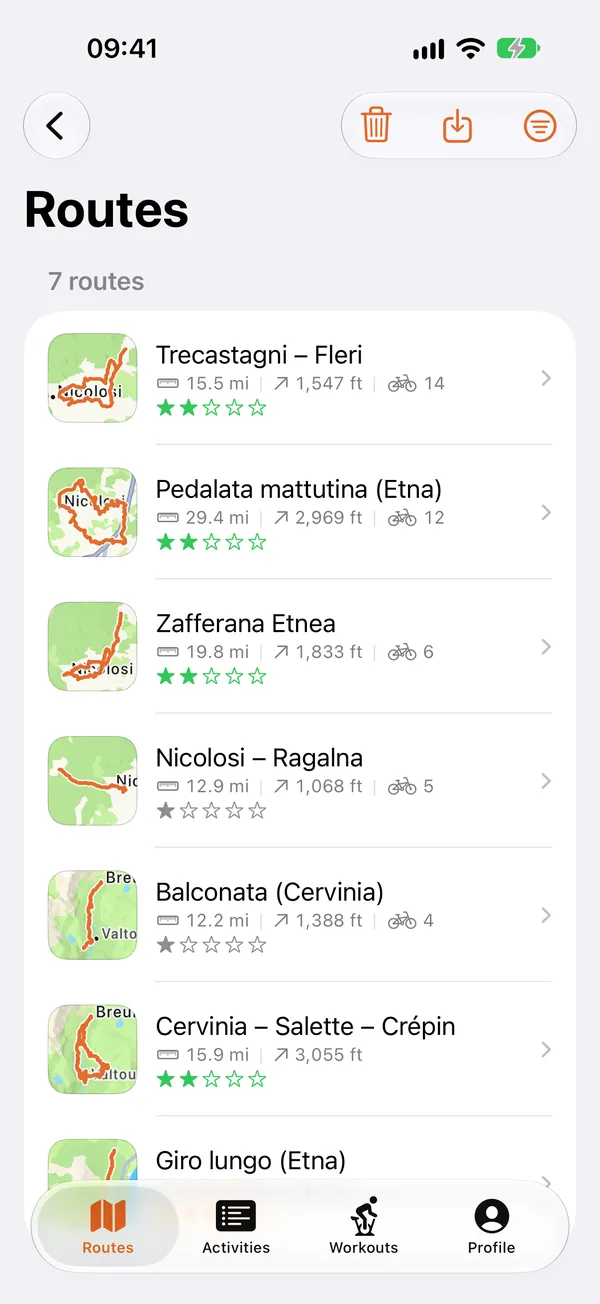
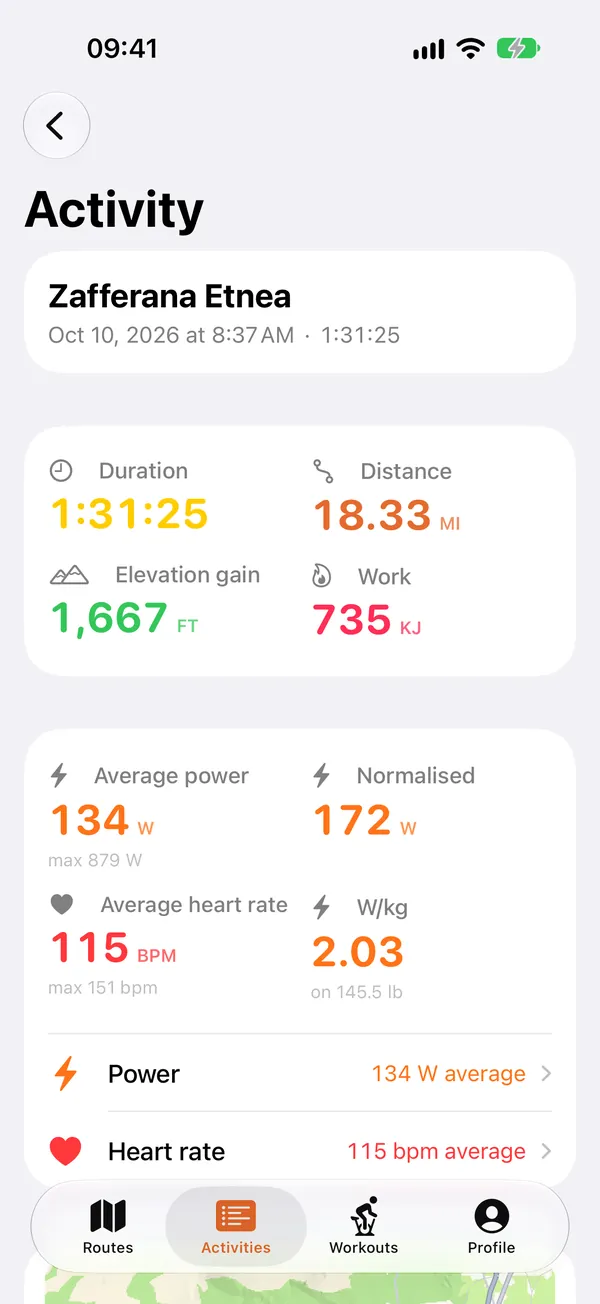
Grade takes a GPX file, the track of a real ride with its climbs, and while you pedal on a training trainer it commands the gradient that corresponds to the point you're at. The climb you're tackling is right under your pedals. The whole product is there.
And that whole product goes through a Bluetooth protocol.
The first problem is that the iOS simulator on the Mac has no Bluetooth. It's not a partial limitation, it's not “half works”: CoreBluetooth on the simulator simply doesn't exist. You can compile, you can launch, and the framework politely tells you there's no Bluetooth module. The second problem was the trainer. Remember? In the other instalment of the diary I told you the trainer was my brother's purchase. Which means there was no trainer in my study, next to my Mac and next to my sofa.
The alternatives, therefore, weren't many. Either I bought a trainer and kept it next to the desk in my study, connected to the Mac twenty-four hours a day, getting up to pedal every time I had to check whether a button was aligned. Or I built one of my own: not in hardware, of course, but a simulated version.
I built the trainer.
First, though: what FTMS is, in two minutes
If you have a “smart” trainer bought in the last few years, inside it speaks a standard called FTMS, Fitness Machine Service. It's a public Bluetooth SIG specification, and the nice thing is that it really is a standard: Wahoo, Elite, Tacx, Decathlon, the nameless Chinese brands. They all implement it.
It works like this. The trainer exposes three “mailboxes”:
0x2AD2: the data it sends, that is power, cadence and speed. They arrive continuously, without you asking for anything.0x2AD9: the control point, where you write. This is where you tell it “now set a 6% gradient”.0x2ACC: what it can do. A bit field: bit 13, for example, says “I can simulate a gradient”.
The first command, perhaps the most interesting of all, is 0x11, setSimulation. You pass it wind, gradient, rolling resistance coefficient and aerodynamic drag. The gradient is a signed 16-bit integer, in hundredths of a percentage point: 6.25% is written 625.
Then the trainer replies. If all went well: 0x80 0x11 0x01, meaning “I received 0x11, result: Success”.
Dead simple, right?
Yes. On paper.
Level 1: the trainer that isn't there
The first move is the one any developer would make: put a protocol where there was a system class.
Instead of talking directly to CBPeripheral, the code talks to a TrainerTransport, with three operations: write some bytes, listen for notifications, read a value. Underneath you can put real Bluetooth, or anything else.
It's not an original idea. It's one of the first they teach, and it's usually applied sparingly because abstracting costs. Here there was no choice: without that protocol, half the app can't run on a development machine.
The gain, though, came from a direction I hadn't foreseen.
In the tests, behind that protocol there is no Bluetooth but a fake trainer: an object that responds to commands like a real trainer, and that I can ask to misbehave. Two properties with slightly funny names do it:
var silentOpCodes: Set<UInt8> = []      // commands the trainer doesn't answer
var deniesOnceOpCodes: Set<UInt8> = []  // commands it denies the first time, then accepts
Let's pause a moment, because these two lines are the real reason the app works.
How do you test what happens if the trainer doesn't answer? On the real device: you pull the plug mid-command and hope to catch the right moment. Once in twenty. Then you have to do it again to check the fix, and in the meantime you've restarted the app six times.
With the fake: you add 0x11 to silentOpCodes, and the trainer goes mute on that specific command, every time, in ten milliseconds.
The same goes for deniesOnceOpCodes, which is the nastiest case: the trainer that refuses the first request and accepts the second. It really happens, when control was taken by another app and is then released. Provoking it by hand takes two phones and a choreography.
The test that checks it, with the fake trainer refusing the first time, exchanges exactly these bytes:
→ 0x2AD9  11 00 00 E4 02 28 33   setIndoorBikeSimulation
← 0x2AD9  80 11 05               Control Not Permitted
→ 0x2AD9  00                     requestControl
← 0x2AD9  80 00 01               Success
→ 0x2AD9  11 00 00 E4 02 28 33   setIndoorBikeSimulation
← 0x2AD9  80 11 01               Success
E4 02 is 740 with its bytes swapped, a gradient of 7.40%: the same command, written twice.
Error branches are the part of the app that decides whether a session breaks or not, and they are also the part nobody tests, because testing them is awkward. My TrainerTransport protocol trick made them convenient. Four real defects came out of it, one of them really interesting: the command queue I had created didn't actually serialise, so two requests close together could overlap. And the trainer, which accepts one at a time, turned down the second request.
Level 2: the state machines
The fake transport solves the unit tests. It doesn't solve interface development: to design a dashboard I need a trainer that behaves like a trainer, that answers commands, that sends data while you pedal.
So, the level above: a proper simulator, with three state machines that speak FTMS the way a real device does.
- The control point machine: it receives
0x00(take control),0x07(start),0x11(gradient),0x05(target power),0x08(stop). It replies with0x80and a result. It rejects commands received in the wrong order, because a real trainer does that:0x11without having taken control givesControl Not Permitted. - The session machine:
idle→started→paused→stopped. - The mode machine: none, power, resistance, simulation.
And then the part that turned out to be the most useful of the whole simulator: real device profiles.
Eleven, today. KICKR CORE, ZBike 2.0, Van Rysel D100, Elite Direto XR, Elite Justo, Elite Suito. A generic FTMS. A heart rate strap, a cadence sensor, a power meter.
And this:
case ftmsWithoutSimulationA trainer that speaks FTMS but doesn't declare bit 13. It can't simulate a gradient.
It really exists. They are the controlled-resistance trainers: you can tell them “make it harder”, you can't tell them “you're on 6% now”. If your app assumes every FTMS trainer can simulate, on those devices it breaks in a particularly unpleasant way: connected, apparently working, and with the gradient never changing.
Having it in the simulator meant writing the fallback to resistance, that is a mapping from gradient to resistance level with its own maths, before having such a device in my hands. When one then arrived, it worked; and it was one of the greatest satisfactions I had in 2026.
It wasn't luck. It was that the hard case had been thought out instead of discovered.
Level 3: the rider who isn't there
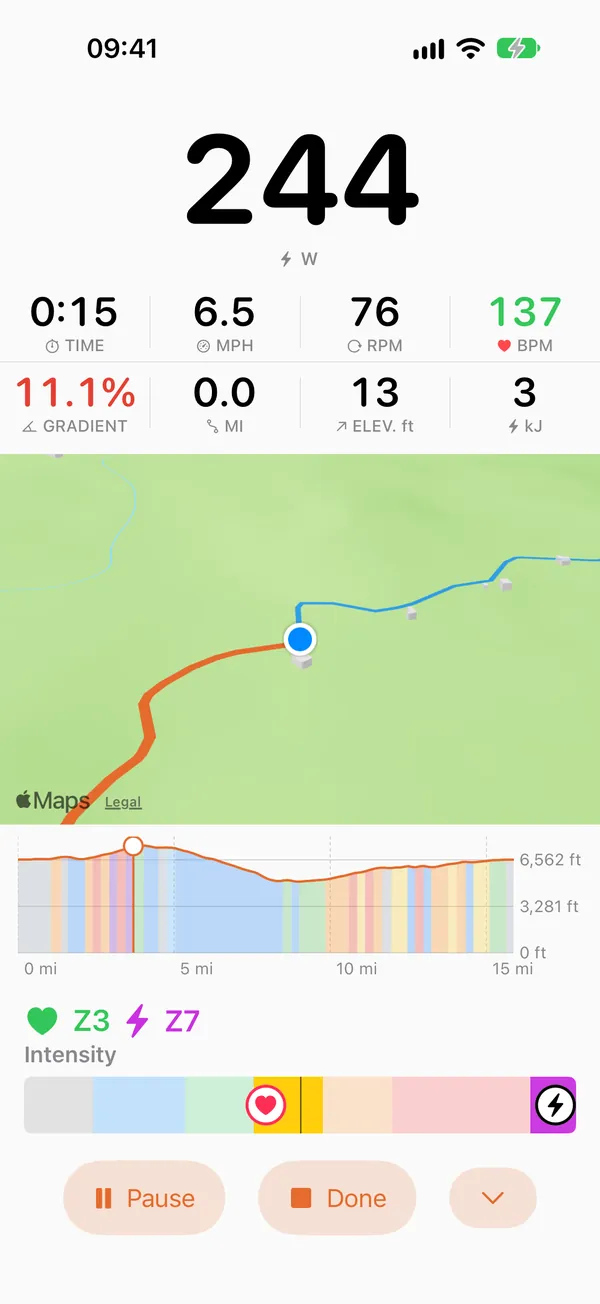
A simulated trainer with nobody pedalling on it sends zero watts.
So there's a rider too. It has four forms: constant, on a good day, on a bad day, different every run. The first is the one for tests, and the important word is deterministic.
A test that depends on a random number is a test that fails on a Tuesday. It passes twenty times, fails on the twenty-first, and you lose an afternoon looking for a defect that isn't there. Or, much worse, you get used to rerunning it until it passes. The day it fails for a real reason, you rerun it.
With the constant rider, two runs on the same route give exactly the same time. Which has an amusing side effect: the “ghost” feature, in which you race against yourself, always shows zero seconds of gap. To test it you need the “different every run” form.
There's also an accelerator. At 50×, a two-hour route is over in a little more than two minutes.
This is the piece that let me test things that would otherwise be out of the question: what happens to the summary after three hours of pedalling, how the climb detector behaves on a track with fourteen climbs, what the archive does when fifty activities end up in it.
And it produced an instructive defect too. A tolerance was expressed in clock seconds, and at 50× those seconds passed fifty times faster: the threshold triggered where it shouldn't. A right number, measured with the wrong clock. It took me a while to see it, because the code was correct: it was correct with respect to a time that at 50× is no longer the same.
And then I hooked up the real trainer
Here the article flips, and this is the part I really wanted to tell.
The simulator worked. The dashboard was ready, the tests green, the error branches covered. I connected a Wahoo KICKR CORE and got in the saddle.
In the log, the trainer was notifying two characteristics at 10 Hz each.
18:18:33.157 ← 0x2AD2  44 00 60 0B A0 00 8B 00
18:18:33.159 ← 0x2A63  34 00 8B 00 7D A4 45 A3 00 00 B9 E9 3F 48 51 C7
18:18:33.159 ← 0x2AD2  44 00 7C 0B A0 00 98 00
18:18:33.159 ← 0x2A63  34 00 98 00 42 A5 46 A3 00 00 C0 EB 3F 48 51 C7
18:18:33.337 ← 0x2AD2  44 00 7C 0B A0 00 98 00
18:18:33.338 ← 0x2A63  34 00 98 00 42 A5 46 A3 00 00 C0 EB 3F 48 51 C7
18:18:33.338 ← 0x2AD2  44 00 7C 0B A0 00 98 00
18:18:33.340 ← 0x2A63  34 00 98 00 42 A5 46 A3 00 00 C0 EB 3F 48 51 C7
18:18:33.427 ← 0x2AD2  44 00 82 0B A0 00 A6 00
18:18:33.428 ← 0x2A63  34 00 A6 00 18 A6 47 A3 00 00 C6 ED 3F 48 51 C7
18:18:33.517 ← 0x2AD2  44 00 82 0B A0 00 A6 00
18:18:33.519 ← 0x2A63  34 00 A6 00 18 A6 47 A3 00 00 C6 ED 3F 48 51 C7
18:18:33.697 ← 0x2AD2  44 00 6B 0B A0 00 A3 00
18:18:33.699 ← 0x2A63  34 00 A3 00 EC A6 48 A3 00 00 D0 EF 3F 48 51 C7
18:18:33.787 ← 0x2AD2  44 00 6B 0B A0 00 A3 00
18:18:33.788 ← 0x2A63  34 00 A3 00 EC A6 48 A3 00 00 D0 EF 40 48 51 CA
18:18:33.877 ← 0x2AD2  44 00 6B 0B A0 00 A3 00
18:18:33.879 ← 0x2A63  34 00 A3 00 EC A6 48 A3 00 00 D0 EF 40 48 51 CA
18:18:33.966 ← 0x2AD2  44 00 6B 0B A0 00 AB 00
18:18:33.968 ← 0x2A63  34 00 AB 00 CA A7 49 A3 00 00 DA F1 40 48 51 CA
One second of the log exported on 20 August, at 18:18:33: twenty lines. The whole file holds twenty thousand, from 18:10:29 to 18:26:28.
My code assumed four per second. And not out of carelessness: the FTMS specification doesn't impose a frequency, four per second seemed a reasonable value to me, and my simulator sent exactly four notifications per second. I had written it myself, starting from this assumption.
That's where I understood something that today seems obvious to me: a simulator faithfully reproduces what you believe. It's not a flaw, it's its nature. If you get an assumption wrong, you get it wrong twice: in the code, and in the simulator that is supposed to put it to the test.
That assumption had two consequences, and I saw both in the field.
The first concerned the diagnostic log, the one the app keeps to reconstruct what happened when something goes wrong. It's a ring of twenty thousand lines: when it's full, each new line deletes the oldest. At twenty lines a second, twenty thousand lines is sixteen minutes. So if you exported the log at the end of an hour of pedalling, a problem that appeared at the fortieth minute had already been deleted.
The second was a threshold that triggered for no reason. The app checks that cadence doesn't stay stuck, because a sensor that freezes keeps repeating the same value. The rule said: if for ten seconds the number doesn't change, there's a problem. But the KICKR reports cadence in whole revolutions, while the specification also provides for half revolutions, and someone pedalling steadily can stay on the same number for quite a few seconds in a row without anything being wrong. The alarm went off precisely on people who were pedalling well.
From there came a rule that I wrote in the project's documentation and that I reread often:
A device's rhythm is measured, not assumed.
What I take away
The simulator is not a stopgap while waiting for the hardware. It's a second instrument, with a different job:
| the simulator | the real hardware | |
|---|---|---|
| it's for | exploring: rare cases, errors, long scenarios | disproving |
| it covers | everything you thought of | what you hadn't thought of |
| it costs | ten milliseconds | an hour, and you have to sweat |
| when | every day, every commit | before saying “it works” |
The simulator protects you from defects. It doesn't protect you from your assumptions, because it's made of your assumptions.
So the question I ask myself now, every time the simulator says all is well, is: this thing I'm checking, did I measure it or did I write it myself in both places?
It's a question that almost always has the same answer: the second.

Grade's code today has more than a hundred and thirty thousand lines of Swift, and nearly four in ten are tests. The simulator, with its three levels, eleven device profiles and four rider forms, never gets in front of whoever uses the app: it's all scaffolding.
But without that scaffolding there would be nothing to use. And every time someone asks me why an application that “sends a number to a trainer” took all this time, the most honest answer is that the number is the easy part.
The hard part is everything that happens when the number doesn't arrive.
Grade is a GPX route simulator for smart trainers. You import the track of a real ride, and the trainer gives you its climbs, gradient by gradient, metre by metre. iPhone, iPad, Mac.